Editing your contact and banking details
When you update a shared bank account, the company with whom you shared that account is notified. They must accept the changes before they can send payments to the updated account.
To edit your account details
-
On your Dashboard, click the
 edit icon next to the account you want to edit.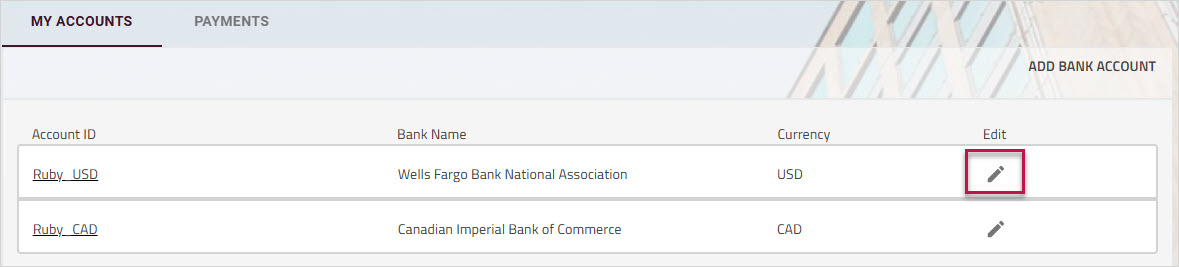
The account details window opens on the tab.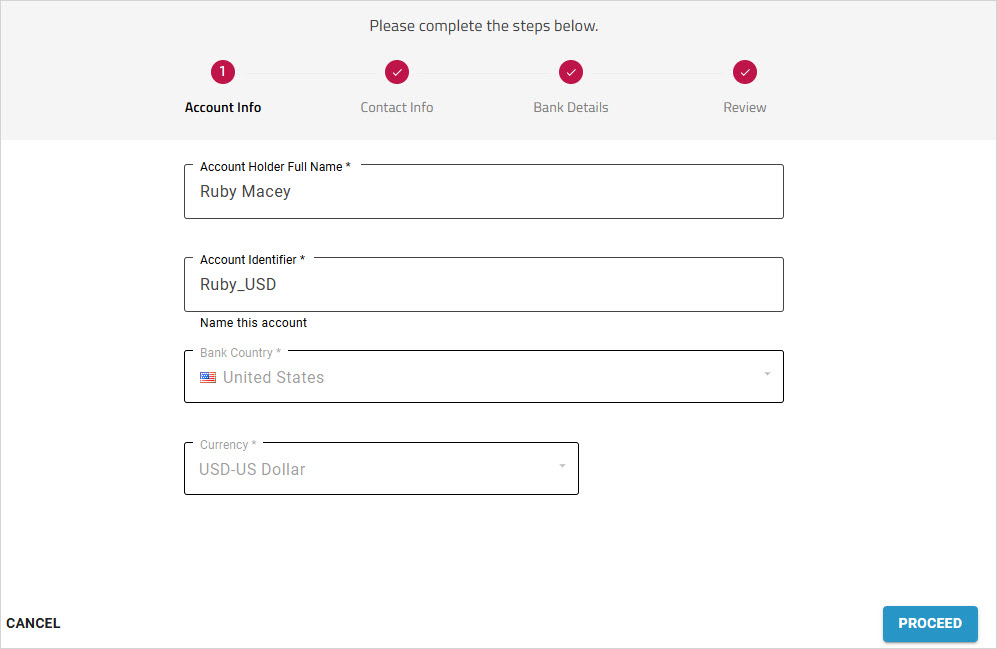
- Click the page name that you want to edit.
- Update the required fields.
For information on completing any of the fields, see Entering your contact details and Entering your banking information. - Click
- On the tab, review your changes.
- Check the box at the bottom of the page to confirm your changes.
- Click .
Your connection will be notified of the updated information.
Note: If you update only your information, your connection will not be notified. This change is automatically approved.
On your Dashboard, the status for the shared account displays In progress until your connection reviews and accepts your changes.