Setting your display preferences
You can select the display preferences that determine the appearance of the interface. In the section you can set your preferred language and time zone.
You can also specify whether you want receipts to display the settlement and fee amounts on separate lines or grouped together.
To set your display preferences
- In the toolbar, under your user name, click .
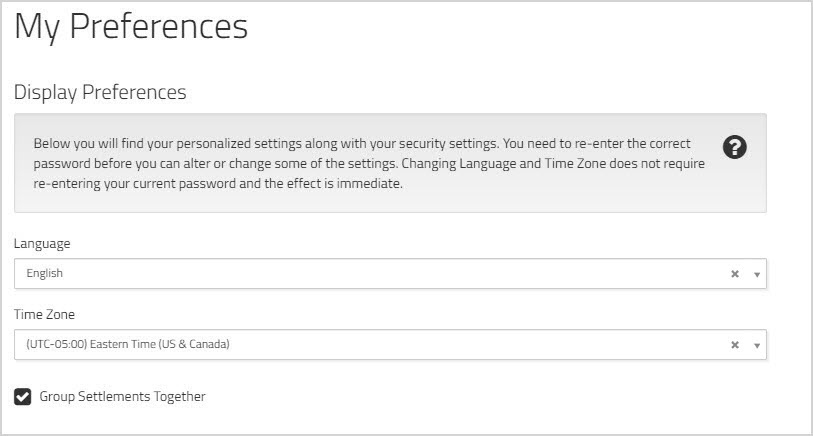
- From the dropdown list, choose the language for the interface.
- Select your preferred from the dropdown menu.
- By default, the settlement and fee amounts are displayed as a single line item on the receipts. If you want to see them listed separately, click to remove the check from the box beside .
You do not need to confirm your changes. The new settings take effect immediately.