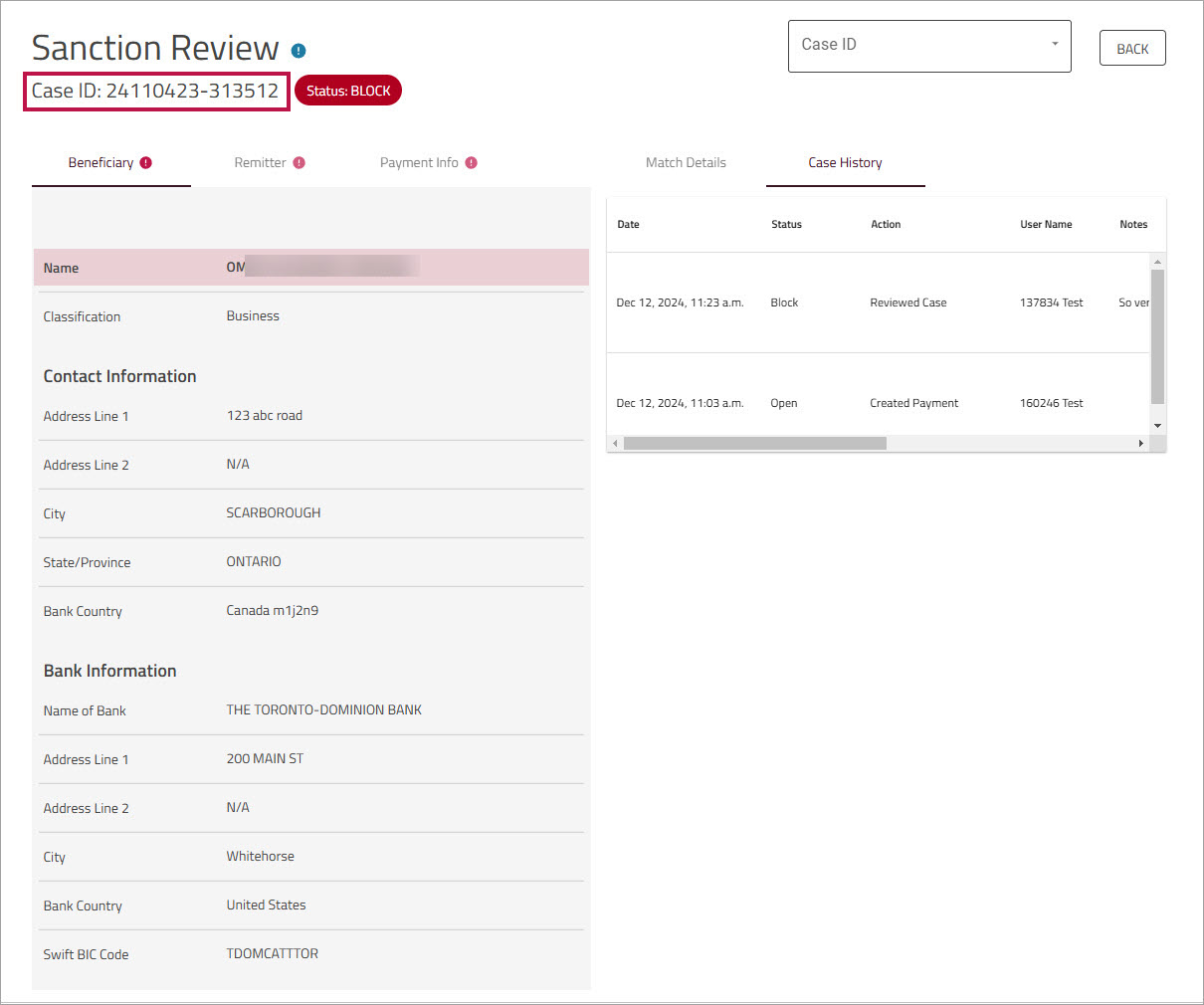
Transaction Screening Report
The Transaction Screening Report shows every screened payment that meets the specified search criteria (such as date range, Remitter, and Beneficiary). It displays sanction screening records, sanction screening results (transactions flagged or not flagged against a sanction list ), and the sanction disposition (case status). This information is retained indefinitely, in accordance with the latest OFAC rules which require records to be maintained for 10 years.
Only clients with access to the will see this report.
To view the Transaction Screening Report
- On , click and then click .
Alternatively, on the page or in the section on the Home page, click . - Enter search criteria in any of the displayed fields.
By default, results are for the current day, sorted from most recent to oldest (based on time screened). - Click .
Note: If the payment was not flagged by Compliance, you will not see a number.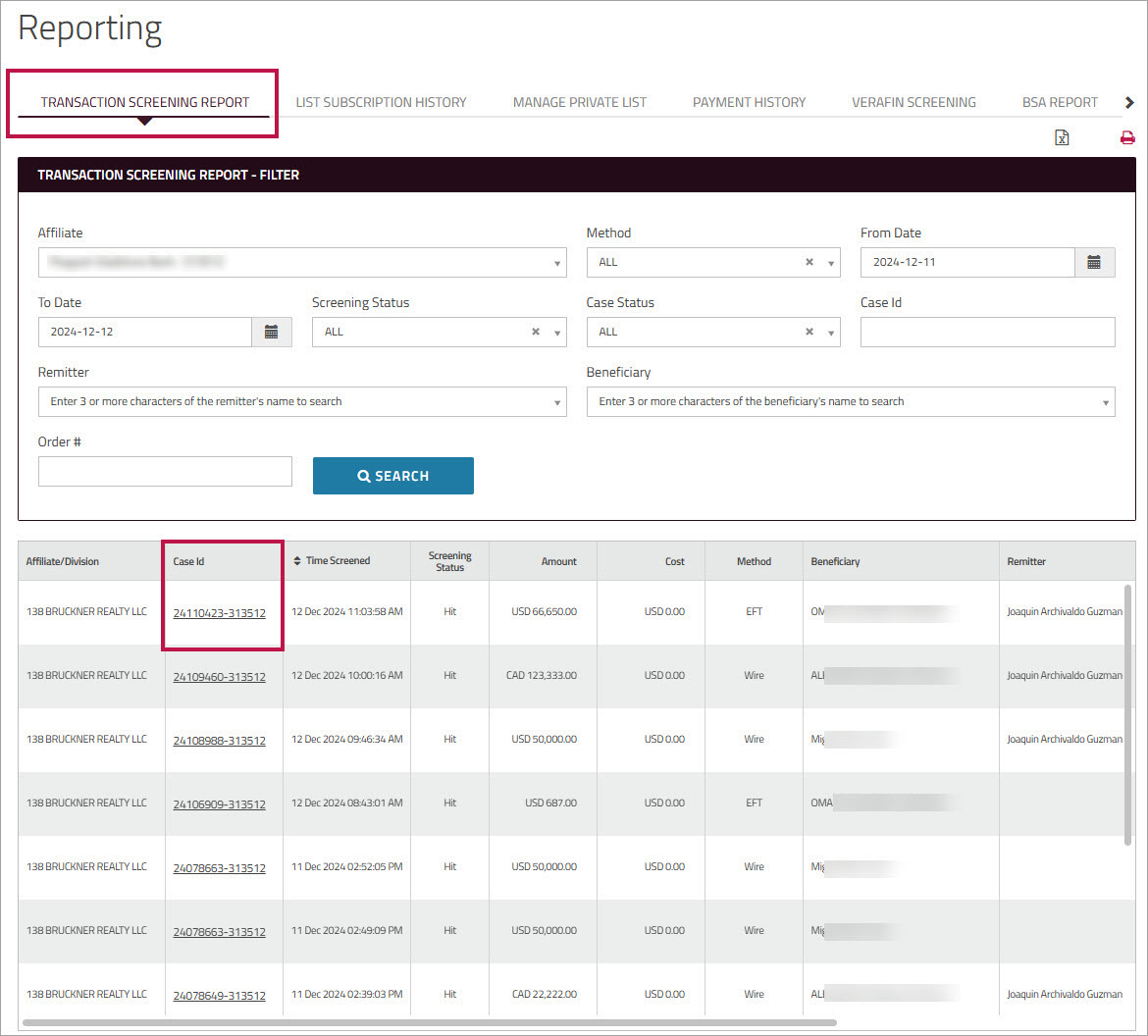
You can use the icons at the top of the page to print the entire report or export the results to an Excel file. - Optionally, click in the field to view details of the selected case on the page.