Verafin Screening Report
On the tab, you can generate a report that displays transaction history based on the information you select. You can specify the beneficiary, identifier, deal number, as well as the from and to dates. By default, it lists transactions processed during the current day.
Note: This is a custom report - only clients who are enabled for this report will see it.
To generate the Verafin Screening report
-
On , click, and then click .
Alternatively, in the section on the Home page, click . -
Enter search criteria in any of the displayed fields.
-
Click .
The transactions that meet the selected criteria are displayed in the grid.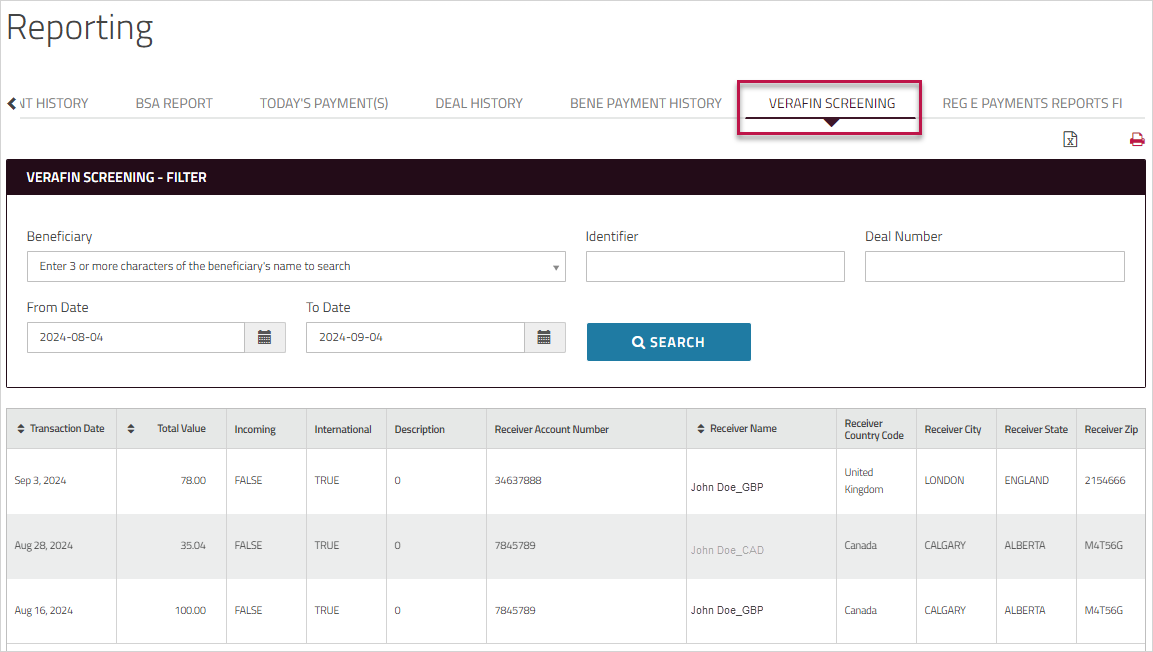
-
Optionally, click one of the icons at the top of the page to export the report to a pipe-delimited file or save it as a PDF.