Notifying approvers
If at least one payment in the uploaded file requires approval, the button will be enabled.
Note: The button is enabled only if all the beneficiary information is complete. This prevents an approver from approving files with incomplete information.
To notify approvers
By default, when you click , all approvers are notified. However, you can choose which approvers you want to notify about this file.
- On the page, click .
A list appears that shows all the authorized approvers. By default, all approvers are selected.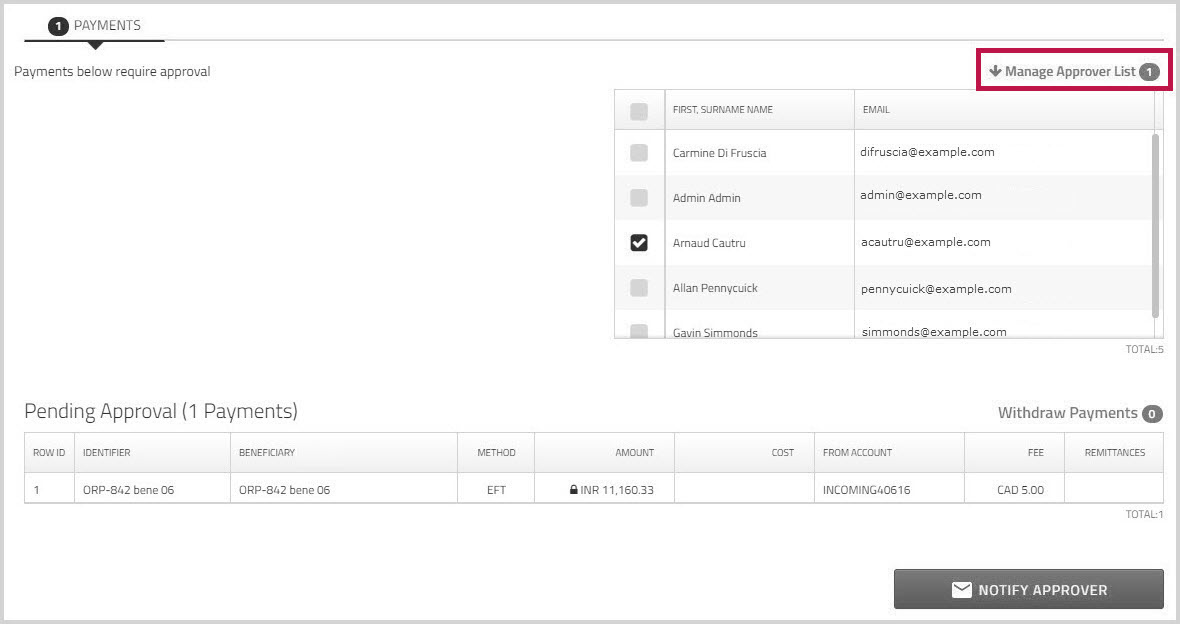
- Click to remove the check beside those approvers you do not want to notify.
- Click .
An email is sent to the selected approvers to let them know that there are payments awaiting approval.
For more information, see Approving uploaded payment files.