Withdrawing payments from booking
After uploading a payment file, you can select specific payments in the file that you do not want to book. If you want to book the withdrawn payments later, you will have to upload them in another file.
To withdraw payments from booking
- On the page, click the payment file you want to edit.
For ERP files, you can also click the check in the left-most column, or choose from the dropdown list.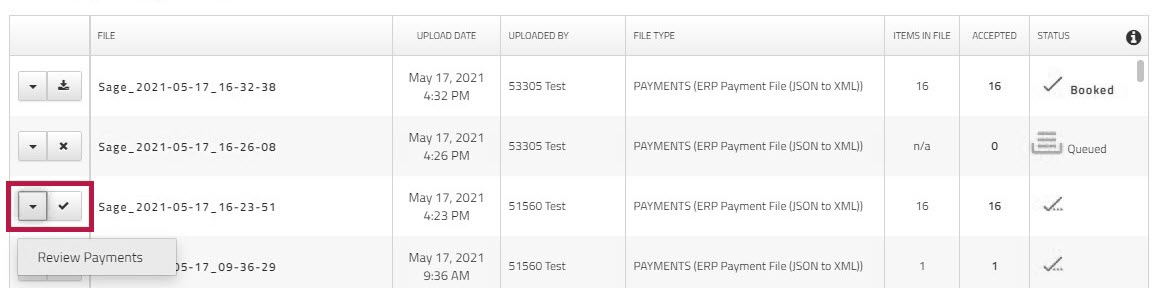
The page appears. - Click .
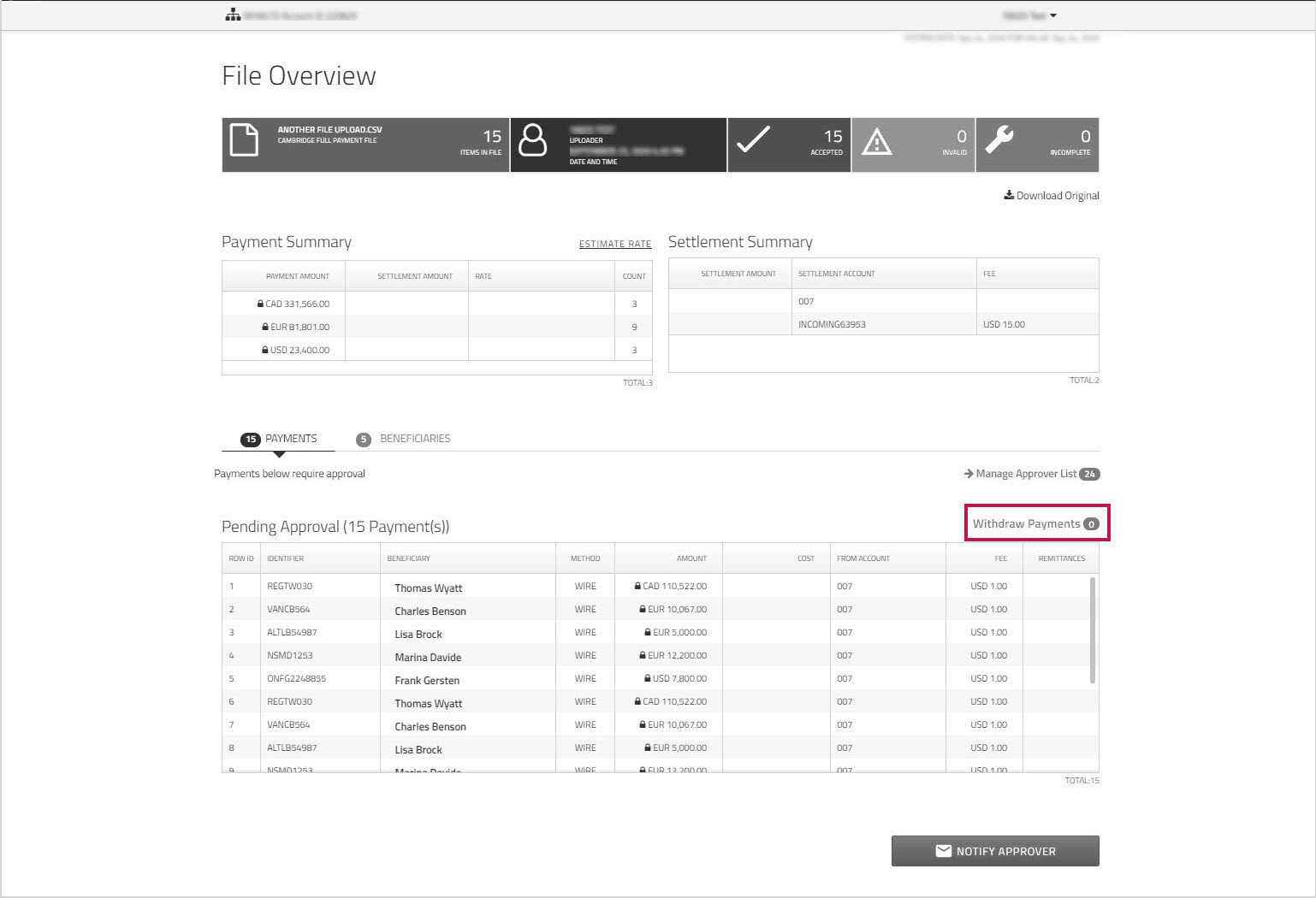
- Click to remove the check beside the payments that you do not want to book, and then click .
Note: You cannot withdraw all the payments in the file. If you uncheck all payments, the button is disabled.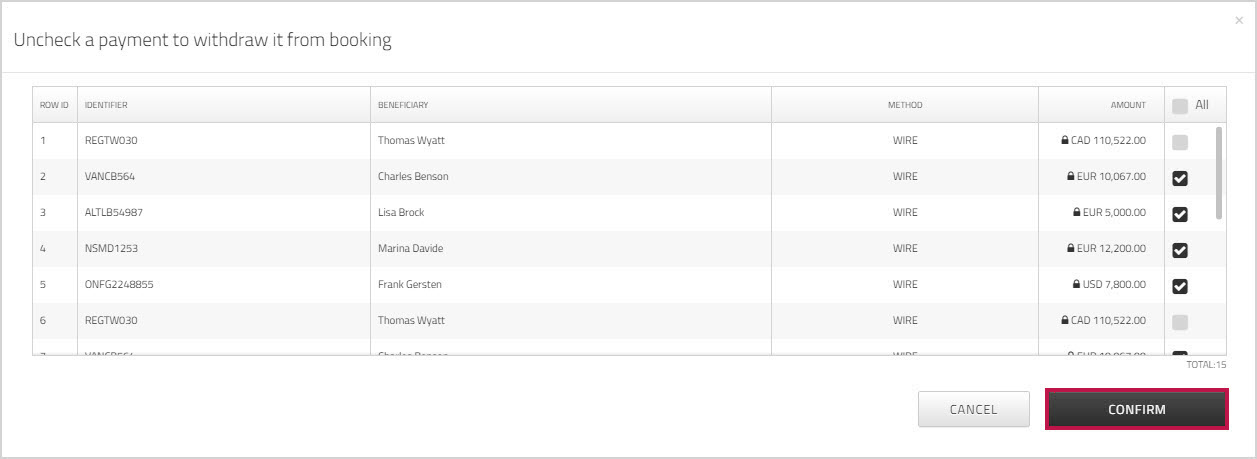
The number of payments that will be booked and the number that were withdrawn is adjusted accordingly. The payments that you unchecked are listed at the bottom of the page.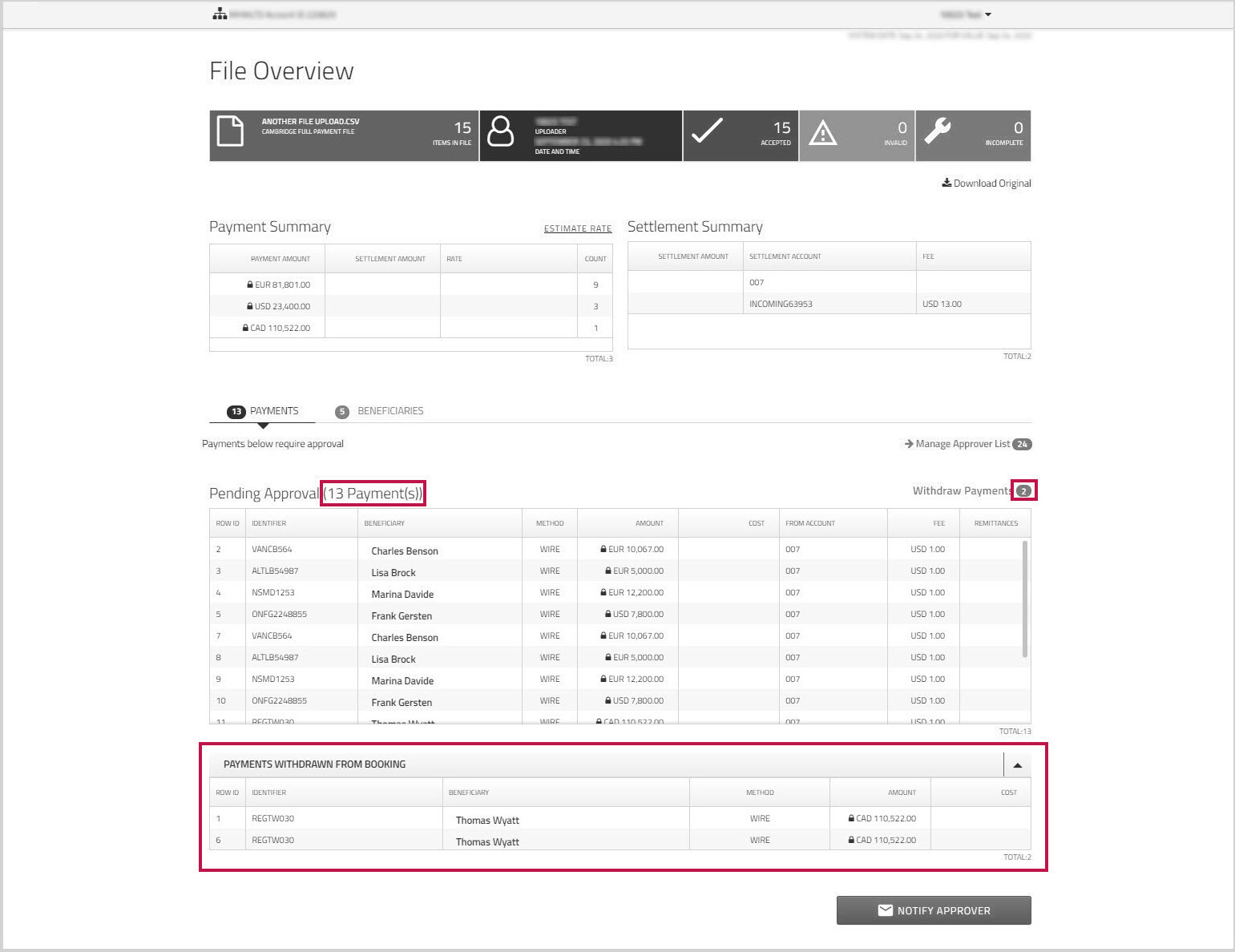
You can now book the payments (or notify approvers if necessary). For more information, see Booking uploaded payments or Notifying approvers.
Note: For clients enabled for SFTP auto-book, the system automatically withdraws payments with soft errors (for example, the payment is missing non-mandatory information such as payee's bank city or postal code). These payments are listed in the grid and are excluded from booking.
If all payments in the file contain soft or hard errors (for example, the payment is missing mandatory information such as the settlement account for the transaction), booking is disabled.